Personalized Recommendations Shopify
You open Shopify before the first meeting and see the same abandoned-cart email queued again. On the product page, a “you may also like” block offers the same best sellers to everyone, whether they browsed one item or bought it last week. The store is collecting signals, but its recommendations aren't using them in a way that feels timely or personal.
That gap matters most when a shopper is deciding what to buy next. A useful SMS can connect a viewed product or an active cart with one relevant suggestion and a direct path back to the store. But personalization only works when the message earns the customer's attention: relevance and trust are separate problems, and both need to be solved.
Table of Contents
- Why Personalized Recommendations Belong in Your SMS Strategy
- The Data Signals You Can Actually Collect on Shopify
- Choosing the Right Recommendation Engine for Your Store
- Setting Up Compliant Consent Before You Send Anything
- Building the Four SMS Recommendation Flows That Print Revenue
- Measuring Lift Without Fooling Yourself
- Keeping Recommendations Earned, Not Creepy
Why Personalized Recommendations Belong in Your SMS Strategy
A generic product block is easy to add and easy to ignore. Personalized recommendations can do more when they show up in a moment that matches the shopper's intent, such as a follow-up after viewing a product or a reminder about an unfinished checkout.
McKinsey's 2021 research found that 71% of consumers expect personalized interactions, while 76% become frustrated when those experiences are absent. The same research found that fast-growing companies derive 40% more of their revenue from personalization than slower-growing peers (McKinsey's research on personalization). Those figures make a strong case for treating recommendations as more than a storefront decoration. They're part of how a store helps customers find useful products and supports repeat purchases.
SMS offers a direct place to act on that intent. A message can refer to the product someone viewed, suggest a compatible item, and link to the relevant page or checkout. Unlike a broad campaign, a triggered message can respond to a particular behavior. Still, don't assume that a text is automatically the best channel or that every suggestion will increase sales. The message needs to arrive at an appropriate time, match the customer's permissions, and offer something useful.
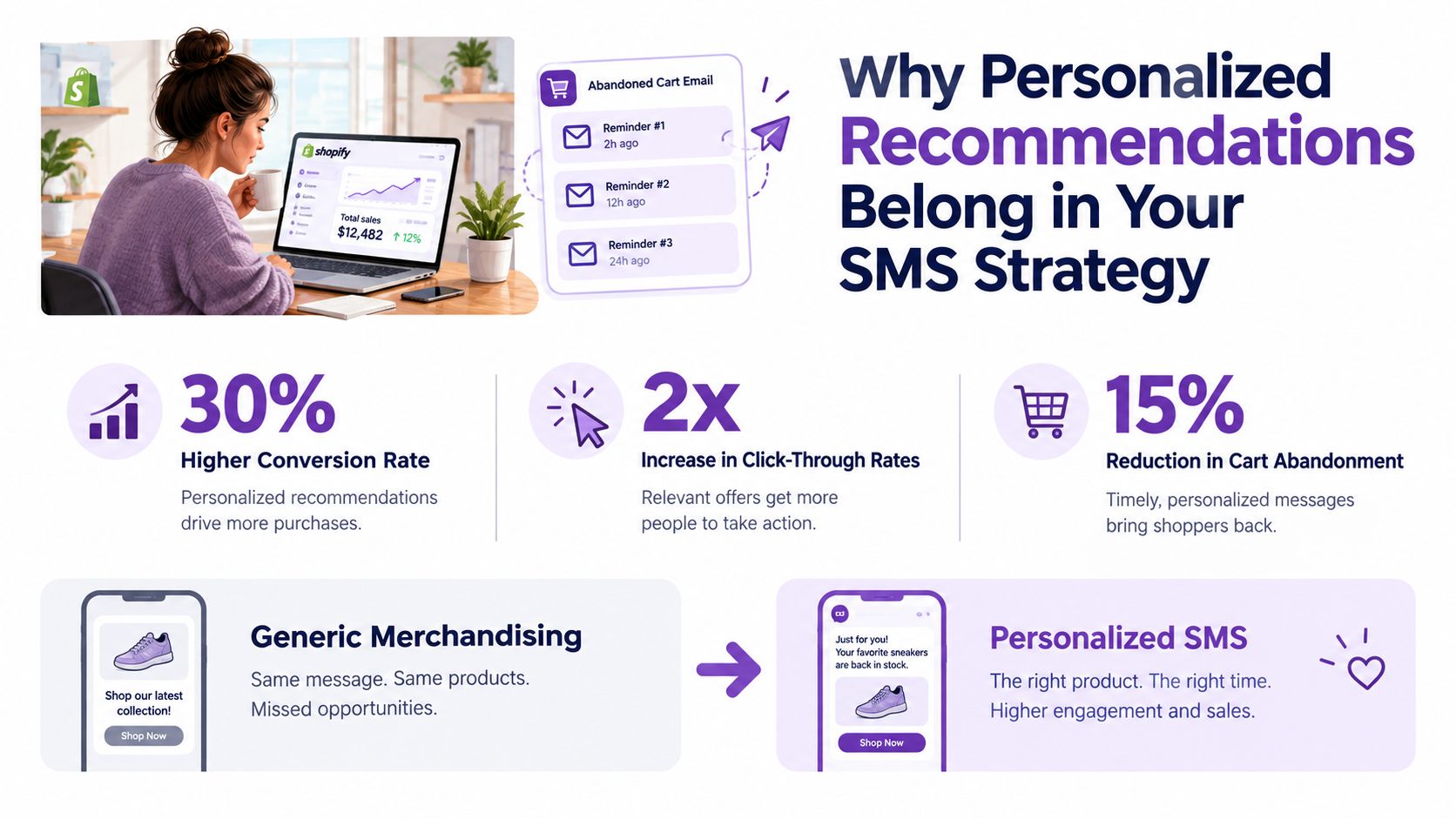
Treat personalized recommendations Shopify merchants send by SMS as a revenue and retention system, not just a “you may also like” widget. The practical starting point is one relevant message tied to a clear customer action, then a measured test to see whether it helps.
The Data Signals You Can Actually Collect on Shopify
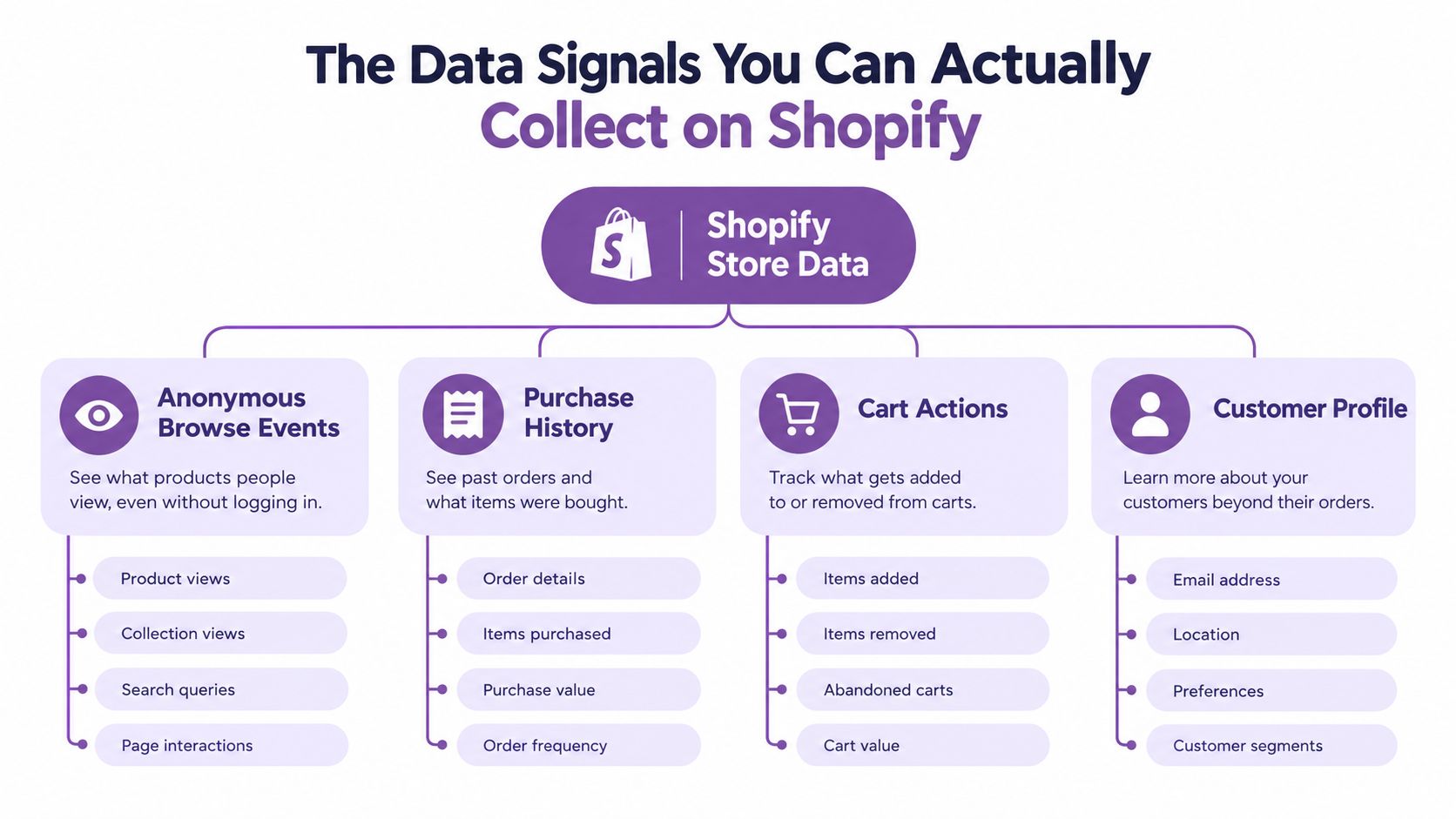
Before choosing a recommendation app, make a simple inventory of the signals your Shopify store can use. The strongest starting point is usually the combination of first-party purchase history and current-session context, not collecting every possible data point.
Map the signals to the message
- Anonymous browsing: Product views can support a follow-up tied to an item or category. Use only the information you're permitted to collect and use, and don't make the message sound as though you're tracking a person in ways they haven't agreed to.
- Cart activity: Items added or removed reveal current intent. A cart message can prioritize what the shopper selected rather than defaulting to the store's overall best sellers.
- Purchase history: Previous orders can help identify complementary products or a sensible next purchase. Suppress items the customer already bought when the suggestion would be repetitive.
- Customer profile and preferences: Declared preferences can add useful context. Collect only what serves a defined purpose, and let customers control or update the information where possible.
A useful audit is a one-page table with four columns: signal, where it comes from, what message it supports, and what consent or suppression rule applies. That makes it easier to spot when a proposed flow depends on data you don't have, or shouldn't use.
Relevance is the weak link in many recommendation modules. Baymard's January 2021 usability research found that 52% of desktop ecommerce sites showing cart or add-to-cart cross-sells presented recommendations that were either completely irrelevant or based only on what other customers had purchased (Baymard's ecommerce personalization benchmark). A recommendation block isn't personalized just because it's automated. It needs to account for the products this shopper viewed, added, or already owns.
For preference questions that customers can answer directly, use a clear and voluntary approach to zero-party data collection. A stated preference is easier to explain than a guess about someone's interests, and it can help a small store make relevant suggestions without overreaching.
Choosing the Right Recommendation Engine for Your Store
The right setup depends on your catalog, interaction history, and ability to explain why a product was suggested. A small store with limited purchase data may get more dependable results from straightforward merchandising rules than from an AI engine with too little information to learn from.
| Option | Best fit | What to watch |
|---|---|---|
| Merchandising rules | New stores, small catalogs, or products with obvious complements | Rules are easy to explain, but they need maintenance as products and stock change. |
| Shopify's built-in recommendations | Merchants starting with product-page suggestions | Useful for getting recommendations in place, but storefront placements alone don't create an SMS follow-up strategy. |
| Third-party recommendation apps | Stores that need more control over bundles, placements, or recommendation logic | Compare how the app uses data, integrates with your store, and handles exclusions and inventory. |
| SMS-led flows | Merchants who want suggestions connected to browsing, cart, purchase, or follow-up messages | Check that targeting, consent, timing, and suppression work together instead of treating recommendations as a standalone block. |
A staged path usually makes sense. Start with transparent rules such as complementary products, frequently bought together, category affinity, and post-purchase cross-sells. As consented first-party interactions accumulate, test more individualized recommendations against those rules. Keep a fallback for visitors with little or no history, such as category similarity or carefully selected popular products.
Practical rule: Use AI when it has enough suitable data to outperform a rule you can already explain. Don't use it simply because a tool labels a feature “smart.”
Complex systems can introduce biased suggestions, over-personalization, privacy risks, and unclear opt-outs. Research recommends purpose-limited data collection, anonymization, and granular preference controls instead of indiscriminate collection of browsing, purchase, and location data (research on personalization-system risks). Integration is another decision point. Before connecting tools, review how Shopify third-party integrations fit into your existing data and messaging workflow. If you're also comparing tools for a partner or referral program, Refport's guide can help you find the right affiliate app, a separate choice from a product recommendation engine.
Setting Up Compliant Consent Before You Send Anything
A recommendation isn't permission to text. Shopify states that promotional SMS must go only to customers who agreed to receive marketing messages. It also identifies GDPR, the California Privacy Rights Act, and the Telephone Consumer Protection Act as laws that may apply, and recommends double opt-in to reduce accidental or disputed subscriptions (Shopify's customer contact and SMS guidance).
Build consent into signup
At checkout, enable the SMS option in Shopify settings. For a popup, make the promotional SMS checkbox unchecked by default and keep marketing consent separate from transactional notifications, such as order or shipping updates. Link directly to your privacy policy and terms so customers can review how you collect, use, store, and share their phone numbers.
Your terms should explain message frequency, possible data rates, how to opt out, and how to contact support. Keep a record of consent, including its source and timestamp. A double-opt-in flow adds another confirmation step. That can create friction, but it also helps confirm that the number and marketing permission were supplied intentionally.
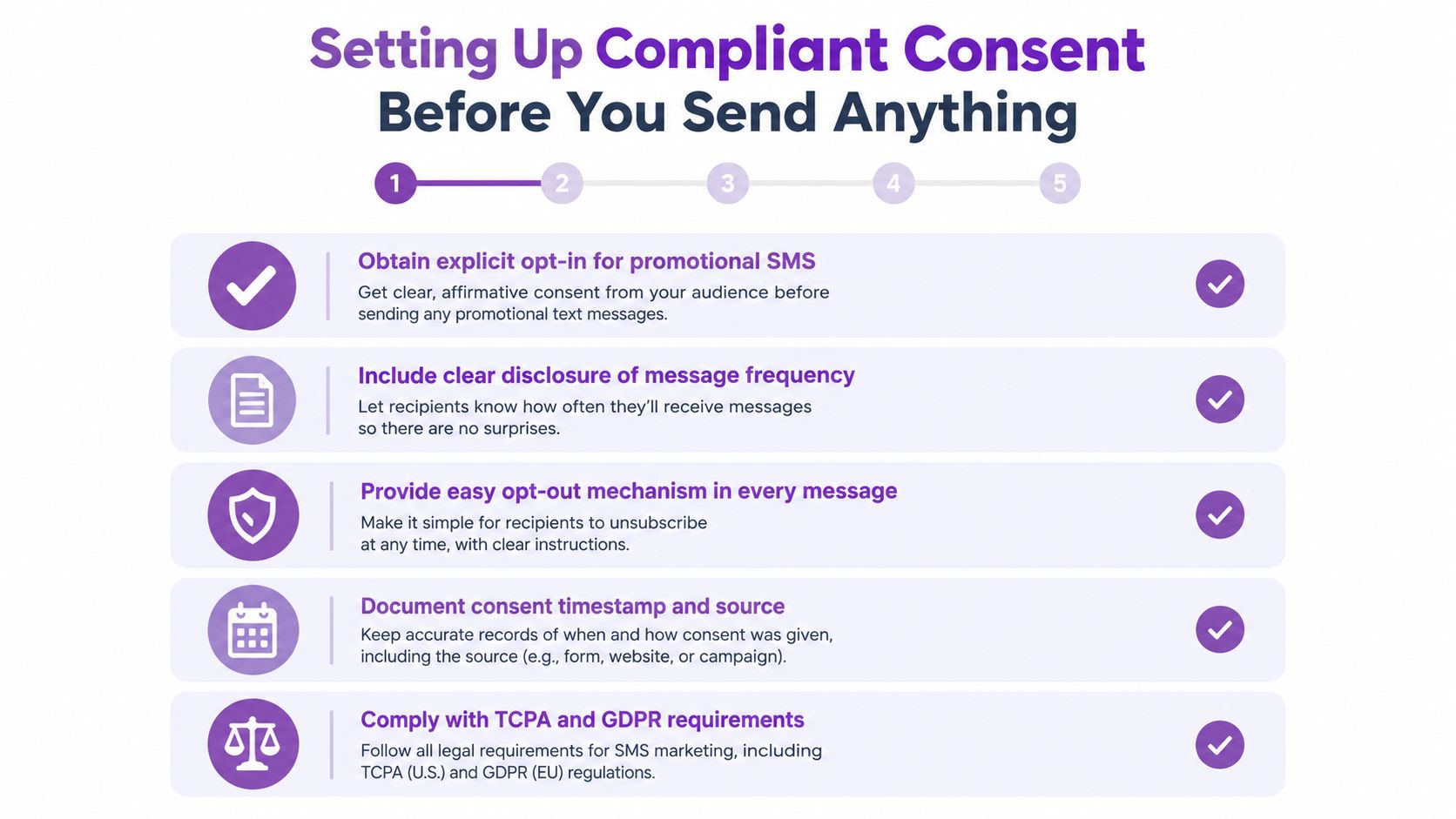
In a popup designer such as YipSMS's, configure the form so the consent language is visible before submission, the checkbox isn't preselected, and the privacy policy and terms are linked. Then confirm that the signup source and consent status pass into the system that controls campaign eligibility. Don't assume an app integration automatically preserves the details your store needs.
Set the suppression rules before launch
Exclude anyone who hasn't opted into promotional SMS, has opted out, or has already completed the relevant purchase. Keep transactional messages distinct from marketing recommendations, and apply frequency controls so several automations don't message the same person in quick succession. A TCPA compliance checklist can help your team review the consent workflow, but it doesn't replace checking the requirements that apply to your business and customers.
Building the Four SMS Recommendation Flows That Print Revenue
A good flow responds to a specific behavior and stops when the customer's situation changes. Build the trigger and suppression logic before polishing the copy.
Viewed-product follow-up
Trigger after a product view when the visitor is eligible for marketing SMS and has not purchased that item. Keep the message focused on the product they viewed, with one complementary suggestion where there's a clear fit. Avoid turning a simple follow-up into a catalogue dump.
“Still considering [product name]? [Complementary item] pairs well with it. Take another look: [product link]”
Suppress the message after purchase, opt-out, or a relevant stock change. If there's no reliable product-level signal or clear recommendation, don't send a guess.
Abandoned cart and checkout
Klaviyo distinguishes an abandoned cart, where a shopper adds an item, from an abandoned checkout, where they start checkout but don't finish. Its guidance recommends a first reminder roughly 2–4 hours after checkout begins, followed by a second 20–48 hours later. Its research across thousands of ecommerce customers found that 2–3 messages generally performs best (Klaviyo's abandoned-cart timing guidance).
Start with a helpful reminder that names the product and links back to the cart or checkout. Only consider a related-product suggestion if it supports the original purchase rather than distracting from it. Suppress the flow as soon as a purchase event occurs. If you use an incentive, reserve it for the later message and test it separately from timing.
Post-purchase cross-sell
Wait until delivery is confirmed before recommending a complementary product. Sending a cross-sell immediately after order placement can distract from the purchase confirmation and may suggest that the store is rushing to sell again before the customer has received their order.
Example: “Your [product name] has arrived. If you're ready to complete the set, [related item] works well with it: [product link]”
Suppress if the recommended item is already in the order, unavailable, or a poor match. Keep the reason for the suggestion plain and easy to understand.
For a demonstration of an SMS flow in context, watch this overview:
Start with one flow and verify its triggers, consent eligibility, purchase suppression, product availability, and links before expanding. A message that reaches the wrong customer or points to an unavailable item can damage trust faster than a generic product block.
Measuring Lift Without Fooling Yourself
Recommendation dashboards can make a flow look successful even when it hasn't created incremental sales. A click is useful evidence of interest, but it doesn't prove that the message changed what the customer bought.
Begin with a two-week or longer baseline, then randomize eligible sessions into control and treatment. Keep placement, discounting, and SMS exposure consistent so the comparison measures the recommendation itself rather than a mix of changes. Report results separately for product pages, cart, checkout, post-purchase, and SMS. A strong result in one placement can hide a weak or cannibalizing result in another.
Track outcomes and guardrails together
Measure revenue per recipient, incremental orders, conversion, and unsubscribe rate by flow. Also watch complaint rate, message latency, stock-outs, duplicate recommendations, and margin per order. Use minimum sample sizes and confidence intervals before rolling out a change; a small or noisy result isn't a dependable reason to replace a working rule.
Klaviyo's analysis of more than 110,000 ecommerce customers reported average abandoned-cart revenue per recipient of $4.48 for text messaging, with the top 10% of brands reaching $8.69 per recipient. It also reported an average abandoned-cart text click rate of 10.3% (Klaviyo's abandoned-cart benchmarks). Treat these as aggregate benchmarks, not a promise of what your store will earn. Your own baseline and controlled test should determine whether a change is helping.
Use a fallback hierarchy that matches the data available. Collaborative filtering can suit stores with sufficient interaction history; product or category similarity can serve partial histories; merchandising rules are a sensible option for anonymous visitors. The point isn't to force every shopper through the same algorithm. It's to provide a useful suggestion without pretending the system knows more than it does.
Keeping Recommendations Earned, Not Creepy
A relevant product can still feel intrusive if a message reveals too much about how a store inferred someone's interests. Privacy concerns can weaken the benefit of personalization, so don't judge a flow by clicks alone. Trust depends on what the message suggests, how clearly it explains the suggestion, and whether the customer can control further marketing.
Keep the explanation simple: “You viewed this,” “Pairs with your recent purchase,” or “Based on your selected preferences.” Don't imply intimate knowledge, and don't repeat the same product suggestion across messages when the customer has already ignored it.
Customers should be able to understand why a product appeared and choose whether they want more messages like it.
Review each flow for relevance, stock status, duplicate suggestions, complaints, and opt-outs. Cap frequency across automations, not just within each individual flow. Graduate from rules to AI only when consented interaction data is sufficient and a controlled test shows that individualized recommendations improve results without weakening customer experience.
Start with a rule you can explain, test it against a control, and keep it only if it earns its place. YipSMS offers Shopify-connected SMS campaigns and automation flows for abandoned carts, viewed products, and personalized recommendations. Explore YipSMS Inc. to see whether its SMS tools fit the way your store wants to recommend products.
How this article was made: the YIPSMS team drafts some articles with AI writing tools, then checks pricing, compliance and product details against how YIPSMS actually works before publishing. Spotted something wrong? Tell us through your YIPSMS account.