What Is Considered Abandonment? Types and Time Limits
Abandonment is when a shopper starts a purchase, such as adding a product to a cart or opening checkout, and leaves without completing an order within a set time window.
You're looking at unfinished checkouts in Shopify, wondering which shoppers need a reminder and which were never ready to buy. Someone has entered a phone number, another has only saved a jacket, and someone else has already returned to pay.
Those situations shouldn't trigger the same response. What is considered abandonment depends on the event you measure, the deadline you choose, and whether an order arrives before that deadline.
Table of Contents
- What Abandonment Means in Plain Terms
- Abandonment Types and Example Time Limits
- Detection Rules and a Worked Shopper Timeline
- What Abandonment Costs Your Store
- Consent and Sending Rules by Market
- Matching SMS Triggers to Each Abandonment Type
- Run a Holdout Test Before You Scale SMS
What Abandonment Means in Plain Terms
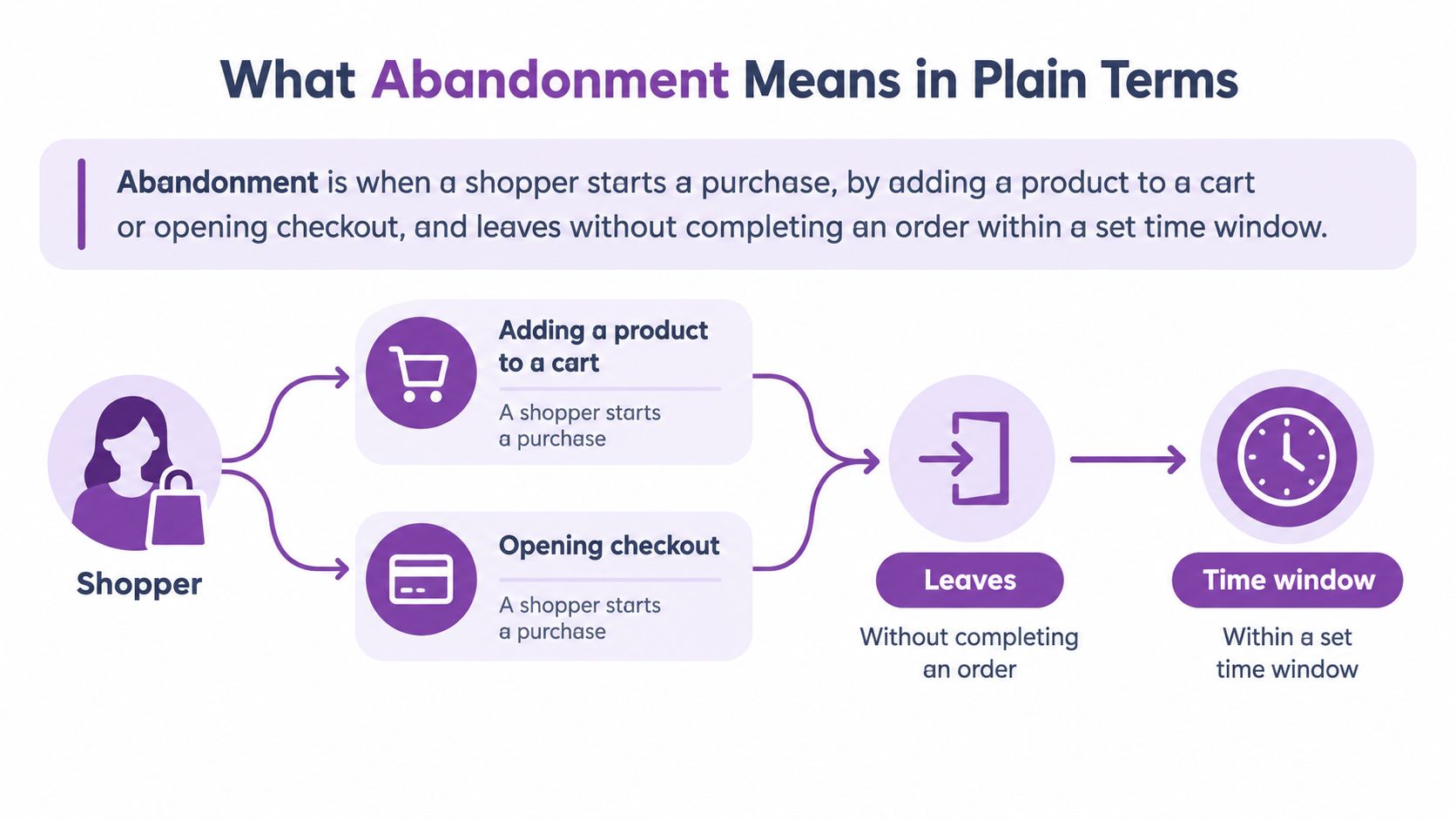
Abandonment is when a shopper starts a purchase, by adding a product to a cart or opening checkout, and leaves without completing an order within a set time window.
Think about a restaurant. A diner who reads the menu and walks away hasn't abandoned a meal they ordered. A diner who receives their food and leaves before paying has crossed a different boundary.
The comparison isn't exact, but it helps distinguish browsing from starting a transaction. Your store needs that boundary before an unfinished visit becomes a meaningful metric.
The conditions behind the label
An event is a recorded action, such as adding a product or starting checkout. An attribution window is the period during which you look for the resulting completed order.
- Starting event: The shopper crosses your chosen purchase boundary.
- Missing completion: Your records contain no successful order associated with that attempt.
- Expired window: The documented waiting period has passed.
A session, meaning a tracked period of website activity, ending doesn't establish all those conditions. Someone can close a tab while deciding what to buy.
The flow below shows how the purchase event and waiting period fit together.
Use the benchmark as context
Baymard Institute's checkout research puts abandonment at approximately 70% of shopping attempts involving cart products. That's an industry benchmark compiled from usability research and published studies, not a government-defined universal standard or a target for your store.
Rates vary by device, country, product category, traffic source, payment method, and the inclusion of browsing activity. State your denominator, the total population used in a calculation, before comparing results.
Intent also differs. A saved product tells you less about purchase readiness than completed shipping or payment details.
Working definition: We record abandonment when a shopper triggers our documented starting event and no associated successful order exists when the specified attribution window expires. Our documentation identifies the starting event, completion event, window length, and reporting population.
Abandonment Types and Example Time Limits
A shopper can leave a product page, add an item to a cart, or start checkout without placing an order. Each action marks a different stage, like stopping at a different point in a store. Your report's rule determines when that shopper becomes an abandonment, so the same person may count in one report but not another.
| Type | Starts when | Counts as abandoned when | Example time limit |
|---|---|---|---|
| Session (browse) abandonment | Shopper views a product or category page | The session ends without an item being added to the cart | 30 minutes of inactivity |
| Cart abandonment | Item is added to the cart | No order is placed, including when checkout has started | 1 hour after the last cart activity |
| Checkout abandonment | Checkout is started | No order is placed, whether or not contact details have been entered | 10 minutes to 1 hour |
| Payment abandonment | Payment step is opened | No payment is submitted and no successful order is recorded | Use the documented checkout window and test it |
| Form abandonment | Shopper begins a checkout, signup, or address form | The form remains incomplete when the session ends | Session end, or 30 minutes idle |
These times are example operating settings, not verified platform defaults. Check the actual timeout in your analytics tool, Shopify integration, and messaging app before activating a trigger.
The session timeout and the recovery window measure different things. For example, a shopper could become a session abandonment after 30 minutes of inactivity while still falling within a one-hour cart recovery window. One report may count the browsing session as ended, while another still treats the cart as an active purchase opportunity.
What each type tells you
Session abandonment is the broadest category. A shopper has viewed products but hasn't added one to a cart, so the behavior shows less purchase intent. Session abandonment should receive SMS recovery only after higher-intent journeys work reliably.
Cart abandonment records an item added to the cart without a completed order. Under the table's definition, it includes shoppers who advance to checkout, so it overlaps with checkout abandonment. A report that needs mutually exclusive categories can count shoppers only in their furthest stage: checkout starters belong to checkout, while cart abandoners are those who added an item but never started checkout.
Checkout abandonment begins as soon as checkout starts and no order is placed. Requiring contact details would leave shoppers who started checkout without entering them unclassified, so the starting event should be checkout initiation.
Payment abandonment narrows the event to a shopper who reached the payment step but didn't submit payment or complete an order. Check payment methods, reassurance, declines, and technical errors before deciding an incentive is needed.
Form abandonment means a shopper began a form but left it incomplete. A signup form that wasn't submitted is different from an unpaid order, even if both records contain the same customer.
Separate willingness from friction
Baymard's checkout usability research found that 42% of U.S. online shoppers had abandoned a cart in the previous three months because they were browsing or weren't ready to buy. This helps distinguish intent-driven abandonment, when someone isn't ready to purchase, from experience-driven abandonment, when the buying process gets in the way.
For SMS, prioritize shoppers who have shown purchase intent instead of treating every exit as recoverable demand. Exclude completed purchasers and repeated abandoners who never engage from recovery audiences.
A broader abandonment definition creates a larger audience. It doesn't automatically create a better audience.
Detection Rules and a Worked Shopper Timeline
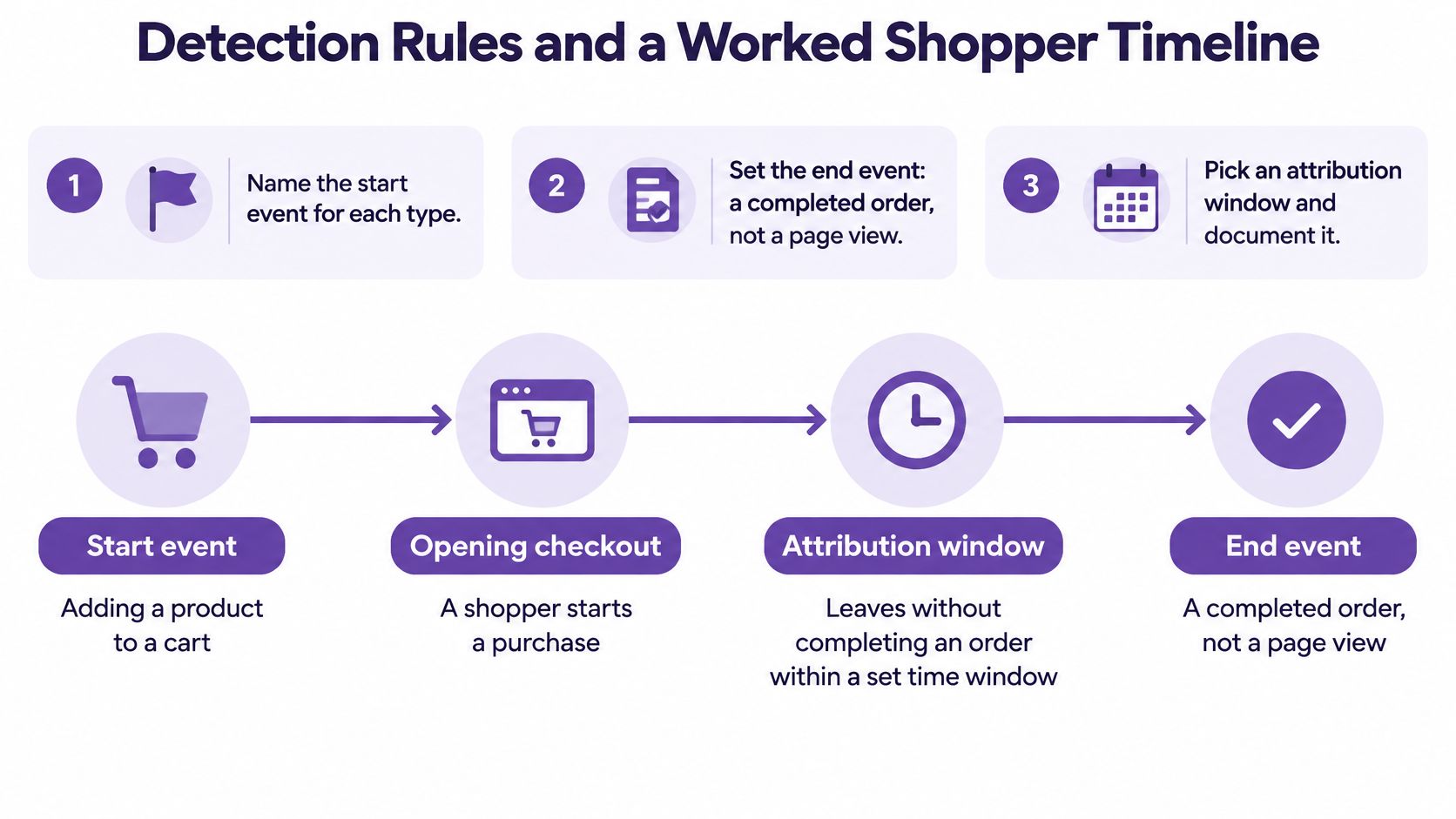
- Name the starting event. Use a specific recorded action for each category, rather than a vague condition such as customer became interested.
- Set the completion event. Require a successful order. Returning to a product page or opening a reminder isn't completion.
- Document the attribution window. Record its duration and whether the clock starts at the first event, last activity, or checkout exit.
- State the calculation. Calculate abandoned carts divided by all carts created, multiplied by 100. Keep both populations within the same reporting period and definition.
- Apply exclusions consistently. Filter staff activity, bots, and test orders. Define how later purchases revise reports, while keeping messaging exclusions separate from the raw abandonment count.
That last distinction matters. A shopper who ignores messages can still belong in your abandonment report even when you've removed them from the SMS audience.
The checklist and timeline below show the relationship between detection and completion.
Follow an illustrative jacket purchase
Suppose your store uses a one-hour inactivity window, with these example timestamps:
- 9:00: A shopper adds a jacket to her cart.
- 9:20: She starts checkout and enters her email and phone number.
- 9:35: She leaves at the shipping-cost screen.
- 10:35: No successful order exists, so the checkout becomes eligible for abandonment detection.
Under the mutually exclusive categories above, this is checkout abandonment, not an additional cart-only abandonment. The deepest completed stage determines the label.
Now suppose she returns at 11:10 and buys. Your live recovery system should stop messaging, but your reporting outcome depends on its documented policy.
A fixed-window report can retain the original abandonment event and record a later purchase separately. A reconciled report can update the attempt to completed. Neither approach is wrong in itself, but switching between them without notice makes comparisons unreliable.
Diagnose the exit before writing the text
A shipping-screen exit suggests investigating delivery charges, availability, and expectations. It doesn't prove which concern caused that individual to leave.
Baymard's abandonment analysis reports that 17% of U.S. online shoppers abandoned because checkout was too long or complicated, and describes optimized flows using roughly 12–14 form elements. It also observed immediate abandonment in 8 of 9 usability-test instances involving technical failures.
Record checkout step, validation errors, loading delays, payment declines, and shipping disclosure alongside the exit. Then calculate step abandonment using exits divided by sessions reaching that step, so you can identify where shoppers struggle.
What Abandonment Costs Your Store
| Carts created per month | Abandonment rate | Abandoned orders | Revenue at risk at $60 AOV |
|---|---|---|---|
| 1,000 | 70% | 700 | $42,000 |
| 5,000 | 70% | 3,500 | $210,000 |
| 20,000 | 70% | 14,000 | $840,000 |
These are illustrative calculations, not store results or recovery forecasts. They apply the benchmark discussed earlier to hypothetical cart volumes and an assumed $60 average order value, or AOV, meaning average revenue per completed order.
The abandoned-orders column represents unfinished purchase attempts, not actual orders your store received. Revenue at risk multiplies those attempts by the assumed AOV.
Potential value isn't recoverable revenue
The table estimates a potential basket value. It doesn't establish that those shoppers intended to spend that amount, that their carts matched your completed-order average, or that a reminder would change their decision.
The browsing behavior described earlier is one reason the estimate overstates the recovery opportunity. Some shoppers were comparing options, not approaching payment.
Checkout friction requires a different response. If a shopper can't submit an address or use their preferred payment method, a text directing them back to the same problem doesn't resolve it.
Budgeting rule: Don't build an SMS revenue forecast by treating every unfinished cart as an order waiting to happen.
Choose the intervention using your own numbers
For the hypothetical store creating 5,000 carts monthly in the table, the useful question isn't how much of the headline total an SMS campaign can claim. It's which checkout problem affects willing buyers and which eligible customers need a reminder.
Use a broader measurement framework alongside recovery reporting. Ruit's guía de Ruit sobre KPI ecommerce is a related resource for organizing ecommerce performance indicators, while this guide to SMS marketing for retail provides context for placing recovery within a wider messaging program.
- Estimate basket value: Use your own cart volume and a clearly labeled value assumption.
- Separate the loss: Break unfinished attempts down by purchase stage and observed friction.
- Choose the lever: Fix checkout problems, improve product information, or test a consented reminder.
- Check profitability: Judge additional completed orders against message costs and the margin those orders contribute.
Consent and Sending Rules by Market
An email subscription does not authorize marketing texts. SMS consent is a separate permission. Sender's SMS consent guidance recommends a distinct opt-in that explains how the phone number will be used, identifies the relevant privacy terms, and tells the customer how to unsubscribe.
| Market | Main rules | Consent standard | Sending and opt-out rule |
|---|---|---|---|
| United States | Telephone Consumer Protection Act (TCPA), Federal Communications Commission (FCC) rules, and carrier requirements | Prior express written consent for autodialed marketing texts | Check current federal, state, and carrier requirements before sending |
| European Union | GDPR and applicable national ePrivacy rules | Freely given, specific, informed, unambiguous permission, commonly through an unchecked opt-in | Apply destination-specific sending and withdrawal requirements |
| Canada | Canada's Anti-Spam Legislation (CASL) | Express or qualifying implied consent | Identify the sender and provide a working unsubscribe method |
| Australia | Applicable Australian spam requirements | Express or qualifying inferred consent | Identify the sender and provide a working unsubscribe method |
The global SMS compliance and consent guide explains why destination matters. This table is an operating overview, not a legal determination that a specific message or consent record complies.
Store evidence, not just a subscription label
For an international Shopify store, “subscribed” alone does not tell you what a customer agreed to. Your records should show the channel, purpose, market, and form used to collect permission.
Keep the consent source, timestamp, purpose, and destination market with the customer record. A form that works for U.S. signups may not meet the applicable consent standard elsewhere.
- Separate channels: Keep SMS and email permissions distinct.
- Identify the business: Make the sender clear and include required contact information.
- Apply local rules: Use the recipient's location when setting sending restrictions.
- Process opt-outs: Make STOP-based unsubscribes take effect across the messaging system.
Check eligibility at send time
A customer may withdraw permission after entering a recovery audience. Recheck current eligibility immediately before sending. The consent status recorded when checkout began may no longer be current.
Use this TCPA compliance checklist to organize a U.S. review, then confirm requirements for each destination with qualified counsel. An abandonment event is only a timestamped trigger: it does not establish permission to text. The same shopper could qualify as abandoned in one report but not another, yet neither report makes a message eligible if consent has been withdrawn or a sending restriction applies.
Matching SMS Triggers to Each Abandonment Type
The same shopper can count as abandoned in one report and not another. A detection window is the period of inactivity a store uses to label an event as abandoned. Because that rule sets the timestamp, it also determines when a recovery timer can start, which message should fire, and whether the shopper has time to place an order before receiving it.
| Abandonment type | SMS trigger | Illustrative first send | Message focus |
|---|---|---|---|
| Session (browse) | Viewed-product reminder | 2 to 4 hours after detection | Item viewed, no discount |
| Cart abandonment | Cart reminder | About 1 hour after detection | Item and verified stock or price information |
| Checkout abandonment | Checkout recovery | 10 to 15 minutes after detection | Direct link back to checkout |
| Payment abandonment | Payment reassurance | After the documented payment window and an order-status check | Available payment options and security, no discount |
| Form abandonment | Finish-account reminder | 1 hour after detection, only for an eligible contact | Help completing the form |
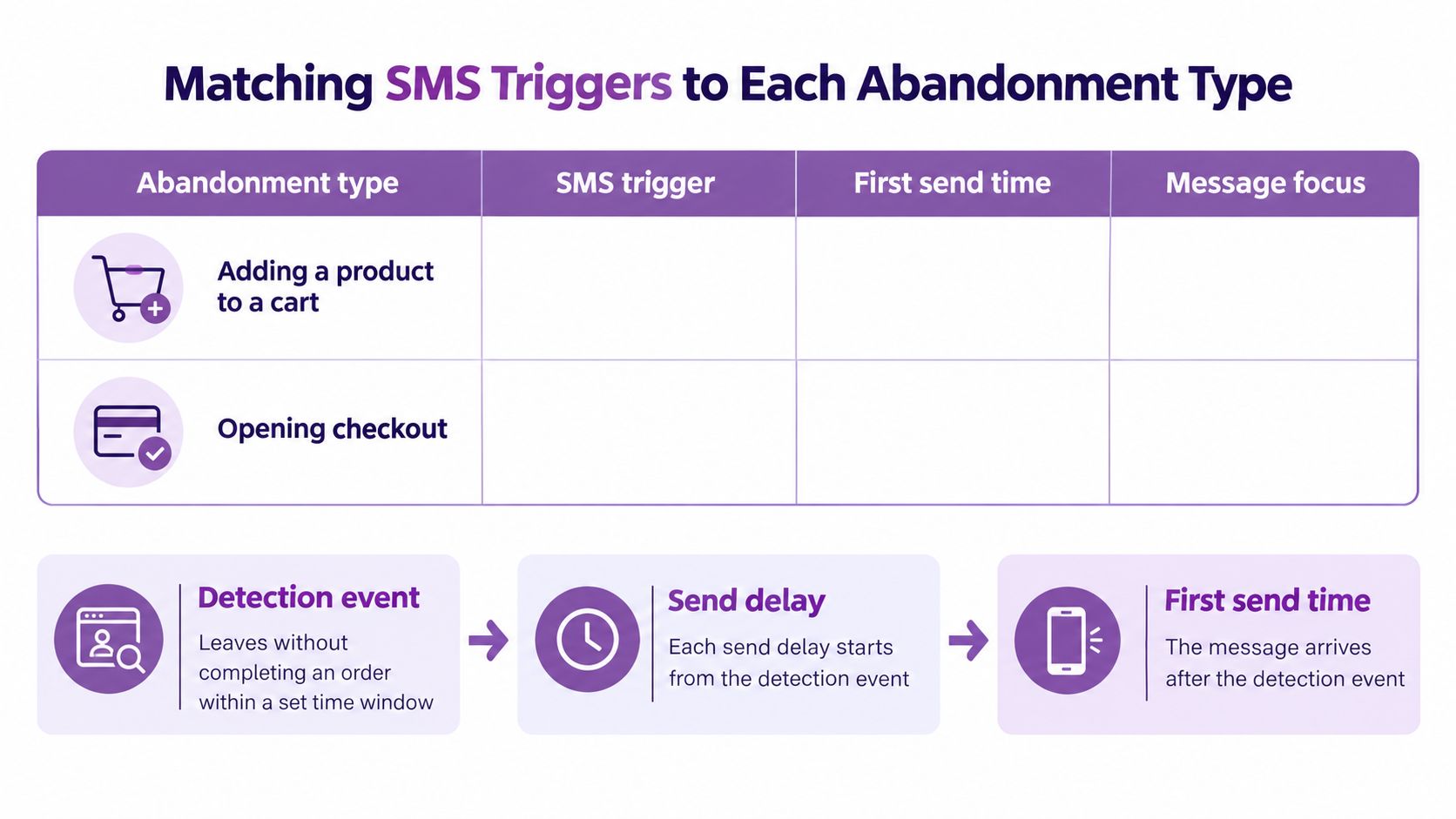
These are test settings, not established optimal send times or platform defaults. Each delay starts after detection. Add the detection window and send delay to calculate the full time since the shopper's last activity. For example, if a checkout is labeled abandoned after 30 minutes and the message delay is 10 minutes, the text goes out 40 minutes after the shopper's last activity.
A timer measured from checkout initiation starts at a different event. Mixing those clocks can make a message arrive earlier or later than intended. The chart separates the event that qualifies as abandonment from the later send decision.
Gate every recovery message
For Shopify-based SMS recovery, require a valid mobile number and documented SMS consent before sending. Confirm any app-specific trigger settings against current Shopify or vendor documentation before citing or configuring them. A timer alone does not make a contact eligible.
Apply these checks before activation:
- Validate eligibility: Suppress records without a valid mobile number or current SMS authorization.
- Check order status: Stop the recovery sequence when the associated purchase is complete.
- Limit repetition: An illustrative starting cap is two messages per cart. Exclude shoppers who ignore earlier texts if that fits your policy.
- Prevent overlap: Avoid having browse, cart, checkout, and payment flows contact the same person independently.
- Verify message details: Mention stock, price, payment methods, or security only when those statements accurately reflect the store.
Match the message to the obstacle
A cart reminder can show the saved item. A checkout message should make it easy to return, while payment recovery should offer relevant help rather than automatically adding a discount.
Browse and form reminders call for a lighter touch. Send a browsing reminder only to an identified, opted-in shopper. If someone leaves a form without an eligible phone contact, there is no SMS trigger to use.
Prebuilt cart and checkout flows in the YipSMS Shopify SMS app offer an option alongside a custom event-based integration. Set their delays and purchase-suppression rules to match your documented abandonment definitions. App labels may not match the event names or time limits in your reports.
Use this video alongside your automation setup review.
Run a Holdout Test Before You Scale SMS
Clicks can show that someone used a message, but they can't establish whether that shopper would have purchased anyway. A holdout group is a randomly selected eligible audience that receives no recovery message, allowing you to estimate additional orders caused by the flow.
Audit and test in order
- Pull the history. As an illustrative audit period, review 90 days of events by abandonment type and confirm each denominator.
- Remove ineligible contacts. Exclude records without a valid mobile number and SMS permission.
- Randomize the audience. An illustrative starting design reserves about 10% as a holdout, subject to having enough eligible shoppers for a useful comparison.
- Compare completed orders. An illustrative four-week test can report orders per 1,000 eligible shoppers, using the same observation window for both groups.
- Use benchmarks as context. Klaviyo's 2026 SMS benchmarks report campaign versus flow order rates of 0.27% versus 1.9%, and click-through rates of 5.6% versus 9.65%. Top-decile order rates reach 0.61% and 3.92%, respectively.
- Investigate weak lift. Review the checkout step with the highest exit rate before increasing message volume.
Those benchmarks describe different message populations, not a pass mark for your experiment. Incremental orders means orders above the holdout result, not every purchase recorded after a text.
Keep the flow if the additional order margin covers SMS costs and the evidence supports a real benefit. Otherwise, fix friction first; add browsing triggers only after higher-intent recovery proves worthwhile.
YipSMS Inc. offers Shopify SMS marketing with prebuilt cart and checkout recovery flows. Visit YipSMS Inc. to explore the app, then configure a consented recovery flow around your documented abandonment event, waiting window, and purchase-stop rule.
How this article was made: the YIPSMS team drafts some articles with AI writing tools, then checks pricing, compliance and product details against how YIPSMS actually works before publishing. Spotted something wrong? Tell us through your YIPSMS account.