What Is Transactional SMS? a Practical Ecommerce Guide
At a glance
What is transactional SMS? Learn how it differs from promotional texts, see ecommerce examples, and build order and delivery flows that stay compliant in 2026.
Your support inbox has a message that starts "Hi, I ordered the linen shirt nine days ago and I've heard nothing." The order shipped three days ago. The tracking number exists. Nobody told the customer, or the text went out with a link so mangled it looked like spam and got ignored.
That gap between what your store knows and what your customer knows is where transactional messaging earns its keep. Answering what is transactional SMS properly matters more than it sounds, because most stores already send something close to it, and a single misplaced discount code is all it takes to move that text into a different legal category with different consent rules attached.
Here's the working version: a definition you can hand a new hire, a table that settles classification arguments in seconds, template copy you can adapt today, and the trust and consent traps that catch Shopify stores over and over.
Table of Contents
- Transactional SMS Explained in Plain Terms
- Transactional vs Promotional SMS Compared
- Ecommerce Use Cases From Checkout to Reorder
- Anatomy of a Transactional Message With Templates
- Compliance and Trust Rules Every Store Must Know
- How to Set Up and Measure Your First Flows
- Your Next Step Is to Turn On Order Notifications
Transactional SMS Explained in Plain Terms
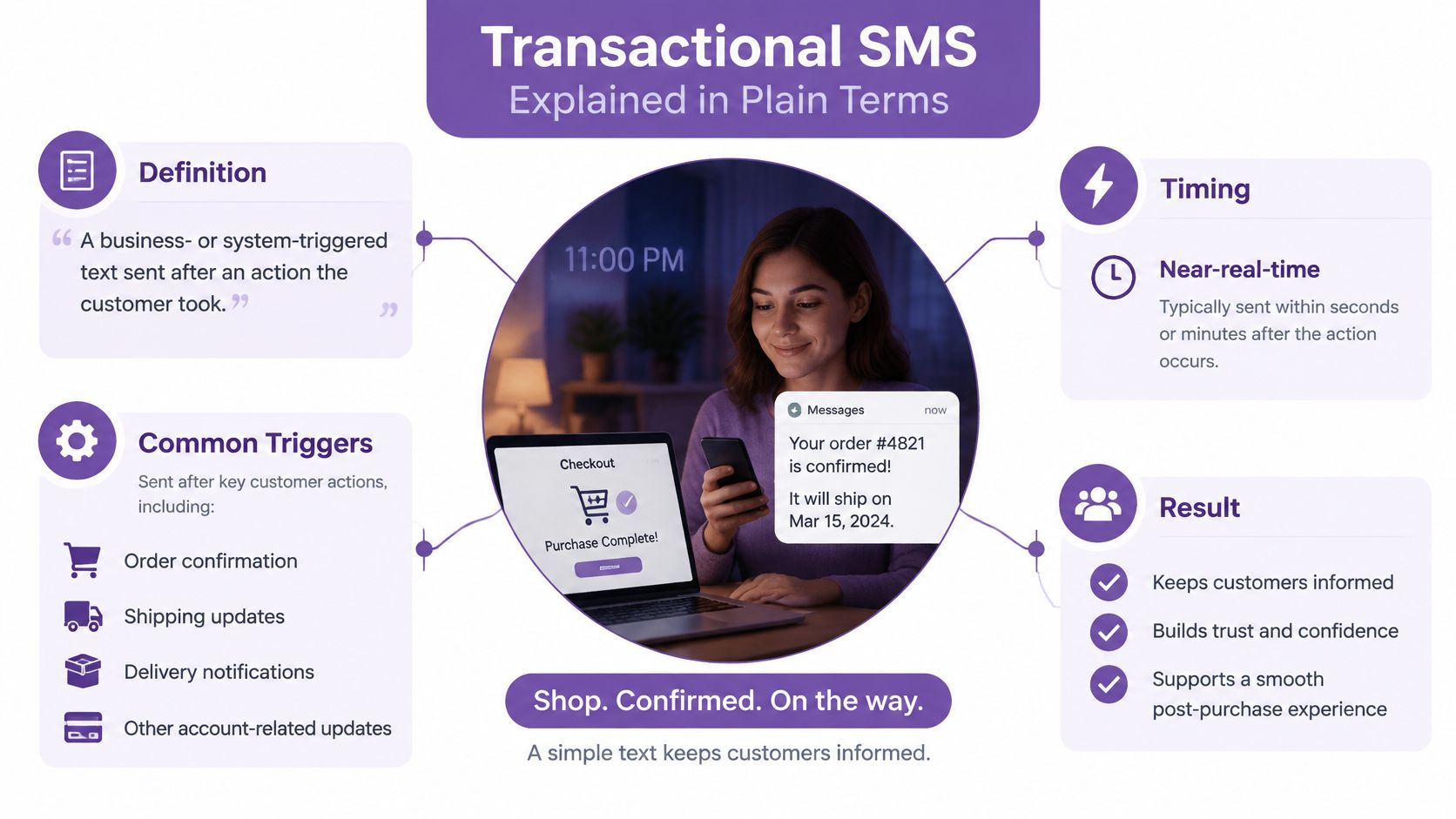
It's 11pm and a shopper in Leeds has just paid for a pair of boots on her phone. She closes the tab, sets the phone down, and it buzzes before she's turned off the lamp. The message names your store, uses her first name, gives order number 1042 and says it ships Friday. She doesn't visit your site again for a week, and she doesn't email support at all.
What landed is transactional SMS, and the definition is worth memorizing:
Transactional SMS: a business- or system-triggered text message sent to one specific recipient because of an event or action, rather than a general promotional campaign.
The same SMS reference entry on Wikipedia groups the familiar cases the same way: one-time passwords, payment confirmations, order updates, delivery notifications, appointment reminders and security alerts. Think of it as the receipt, not the flyer. A receipt belongs to one transaction and exists to close a loop the customer opened. A flyer shouts at everyone on the pavement.
The three trigger families
Every transactional text traces back to one of three causes:
- Customer action. An order is placed, a payment clears, a login succeeds, a reset is requested.
- System event. A warehouse scan fires, a carrier marks a parcel delivered, an account detail changes.
- Security event. A one-time code is requested, a password is changed, a new device signs in.
Underneath the copy, the plumbing is dull and reliable. Your store's software submits the message through an HTTPS messaging API or an SMPP connection, your provider routes it across mobile-network interconnections to the handset, and store-and-forward delivery lets the network hold and retry the message if the phone is briefly out of signal.
Length is the constraint that shapes every word. A standard SMS carries up to 160 characters in the GSM 7-bit alphabet, and a message containing Unicode characters, such as an emoji or an accented name, drops to 70 characters, which the SMS character encoding reference makes clear.
Two numbers explain why the channel is worth setting up. 83% of people report reading a text message within 30 minutes, and 76% of businesses that use texting report using it for customer service, according to Text Request's 2025 state of business texting report. Speed plus service is exactly what a shipping update is.
Transactional vs Promotional SMS Compared
Two stores can send the same 160 characters and end up in completely different places. The difference isn't budget or effort.
The rule that settles most arguments: purpose and triggering event decide the category. Volume doesn't, and neither does the fact that the recipient has bought from you before.
An analysis of US SMS messaging regulations draws the same line: a transactional message responds to a specific customer-initiated transaction or service need, while a discount announcement or product campaign stays promotional even when it goes to an existing customer.
| Attribute | Transactional SMS | Promotional SMS |
|---|---|---|
| Who triggers it | Customer action or system event (order, payment, login) | Business campaign calendar |
| Recipient scope | One customer, one event | List, segment or full subscriber base |
| Customer expectation | High, they just did something | Variable, they opted in to marketing |
| Consent standard | Prior express consent for informational alerts | Stronger written, method-specific consent |
| Marketing copy allowed | No | Yes, with opt-out |
| Opt-out handling | Handled under applicable rules, reviewed case by case | Obvious opt-out in every message |
| Typical examples | Order confirmation, payment receipt, shipment and delivery notice, OTP, password reset, account alert | Discount announcement, new product launch, win-back offer, cross-sell |
| Borderline case | Shipping update with tracking only | Shipping update plus a discount or product recommendation |
Classify in seconds with three questions
- Was this triggered by the customer's own action or an account event? If a marketer's calendar fired it, it's promotional.
- Does it contain anything the customer didn't ask for? A coupon, a recommendation, a cross-sell, a "while you're here" line.
- Would the customer be surprised? Surprise on a service message means something crept in that doesn't belong there.
Take the shipped text. "Order #1042 shipped. Track it: [link]. Carrier: Royal Mail." is transactional from the first word to the last, because it reports fulfillment status and nothing else. Append "Add a matching belt, 20% off" and the message changes character. The discount is unrelated to fulfillment, so the text is now partly promotional, and promotional rules follow it.
The consent consequence is the reason this matters. Informational alerts generally require prior express consent, promotional texts require stronger written consent and must honor revocation requests, and European privacy rules add that consent has to be specific, informed, affirmative and easy to withdraw where consent is the legal basis.
The fix is structural, not editorial. Keep transactional and marketing consent fields separate in your customer records so one can't stand in for the other. Keep distinct templates for service notifications and campaigns. Maintain event-level audit logs showing which order, payment or account change fired each text. Put sending controls on each stream so a marketer can't push a campaign through a service template, and identify the sending business in every message.
Ecommerce Use Cases From Checkout to Reorder
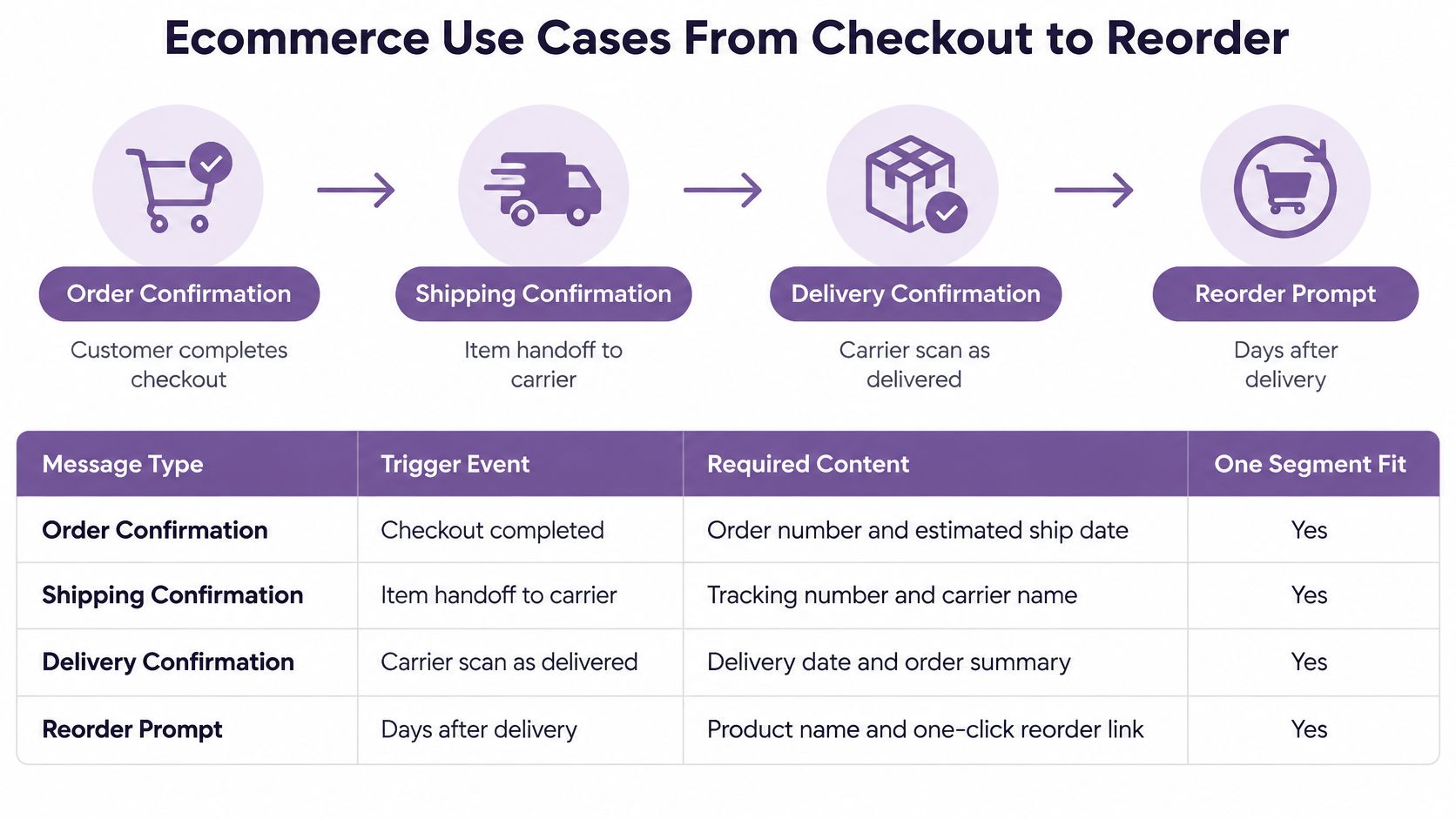
A customer who has just paid does not need a clever text. They need proof that the order exists, the payment went through, and the purchase is moving. Between checkout and the second purchase there are nine moments where a text can help, but only a few belong in the first setup.
Transactional SMS is application-to-person messaging, or A2P: software sends a text after a defined customer action or system event. In ecommerce, the useful triggers follow the order lifecycle rather than a marketing calendar. That distinction matters because a customer's purchase does not give every later message a transactional purpose.
| Message type | Trigger | Required content | Fits one segment |
|---|---|---|---|
| Order confirmation | Order created | Order number, total, next step | Yes, with a short link |
| Payment receipt | Payment captured | Amount and payment method | Yes, pair with confirmation to avoid duplicates |
| Shipped notification | Fulfillment created | Carrier and tracking link | Often no, URL pushes to a second segment |
| Delivered notification | Carrier marks delivered | Delivery confirmation and next step if missing | Yes |
| One-time password | Login or checkout verification | Code and expiry, no link | Yes |
| Password reset | Reset request | Reset link and "ignore if not you" | Yes |
| Account alert | Account detail changed | What changed and how to act | Yes |
| Appointment reminder | Booking date minus 24h | Time and reply keyword | Yes |
| Reorder prompt | Replenishment window | Last item and reorder link | Yes, but promotional once selling becomes the purpose |
The order confirmation carries the most weight because it closes the gap between payment and fulfillment. Send it when the order is created, and include the order number, the amount and what happens next. If the payment receipt fires at nearly the same time, combine the logic so the customer does not receive two near-identical texts for one purchase. Duplicate confirmations make a reliable system look careless.
Account alerts, password resets and one-time passwords sit closest to fraud. Their job is to confirm or challenge a specific account event, so keep them narrow and expected. A reset message should tell the recipient what to do if they did not request it. An account alert should state exactly what changed and give a direct route to correct it. Security messages lose trust quickly when they carry unrelated recommendations or vague warnings.
The segment trap
The shipped notification is where budgets slip. Infobip's A2P messaging overview gives the technical constraint: a standard SMS payload is 140 octets, usually 160 characters in the GSM 7-bit alphabet, while Unicode drops the capacity to 70 characters per segment. Longer texts split into concatenated segments, which raises the billable count and creates more points where rendering or delivery can go wrong.
A full carrier tracking URL can push a shipped text beyond one segment. A short branded link usually leaves enough room for the order number, carrier and tracking action. With YipSMS, each segment of a longer message is billed, and customers pay only for the messages they send. Keeping service copy tight is therefore an operations decision as much as a writing decision.
The delivered notification closes the service loop. It should confirm arrival and give the customer a clear next step if the parcel is missing, rather than repeating the tracking link. This guide to SMS delivery notifications covers the timing and copy choices that keep the message useful rather than noisy.
Reorder prompts require the strictest classification. A reminder tied to a product's expected replenishment window helps the customer use something they already bought. Once the copy's main job becomes persuading them to buy more, treat it as marketing and apply the consent rules for that stream. The customer's purchase history explains why the message is relevant; it does not make every follow-up transactional.
I would switch on three flows first, in this order: order confirmation, shipped notification and delivered notification. They answer the questions customers ask after paying, and they create the fewest consent problems. Verification and reset messages should already exist wherever accounts are enabled. Reorder prompts can wait until the service stream is stable.
If shoppers abandon before payment because shipping restrictions or delivery options surface too late, post-purchase messaging will not recover that revenue. WooCommerce stores should first review how to reduce checkout friction in WooCommerce, then use transactional SMS to support the orders that successfully clear checkout.
Anatomy of a Transactional Message With Templates
Almost every weak transactional text fails the same way: the reader can't tell who sent it or what it's about within the first six words. Fix the structure once and the templates follow.
The skeleton that survives every template: name the business in the first few words, state the context (order number, account event, appointment time), give the one fact or action the customer needs, and link only to your own domain. Anything that doesn't fit gets cut, not shortened.
| Message type | Trigger | Template copy | Notes |
|---|---|---|---|
| Order confirmation | Order created | YipSMS Store: order #1042 confirmed. $64.00, ships in 1-2 days. Details: [link]. Reply HELP for help. | Keeps one segment if the link is short |
| Payment receipt | Payment captured | Payment received. $64.00 on your card for order #1042. No action needed. | Pair with confirmation to avoid duplicate texts |
| Shipped notification | Fulfillment created | Order #1042 shipped. Track it: [link]. Carrier: Royal Mail. | Real-time status is the reason this text exists |
| Delivered notification | Carrier marks delivered | Order #1042 was delivered today. Not received? Reply HELP. | Give a next step, not a link, for trust |
| One-time password | Login or checkout verification | Your code is 482913. It expires in 10 minutes. Never share it. | Never include a link in an OTP |
| Password reset | Reset request | Reset your YipSMS Store password: [link]. Ignore if this wasn't you. | Expiry and "ignore if not you" both cut support tickets |
| Appointment reminder | Booking date minus 24h | Reminder: your fitting is tomorrow at 10:00. Reply C to reschedule. | Reply keyword turns the response into a tracked action |
| Account alert | Account detail changed | Your email was changed on your account. If this wasn't you, reply HELP now. | Fastest, highest-stakes message type |
The shipped row is the one that breaks the character budget once a real tracking URL replaces the placeholder. The OTP row is the one that must never carry a link, because a link in a code message is precisely what a phishing text looks like.
Personalization tokens that make a text look like a scam
Three tokens are worth the trouble: first name, order number, delivery window. Everything else adds risk without adding clarity. A token that fails to populate, rendering as "Hi {first_name}", reads exactly like the sloppy automation scammers rely on. Test every template with empty fallback values and write a sensible default before you switch the flow on.
Opt-out handling belongs in the template review, not just the marketing plan. CTIA's Messaging Principles and Best Practices recommends stating how and what words trigger an opt-out, using standardized STOP wording, honoring ordinary alternatives such as stop, end, unsubscribe, cancel, quit and requests like "please opt me out", supporting more than one opt-out channel, and sending one final confirmation after a valid opt-out. In practice, every promotional template carries "Reply STOP to unsubscribe", the platform suppresses future marketing sends immediately, and the suppression record persists across campaigns. Transactional notifications get reviewed separately, because an opt-out request still needs careful handling under the rules that apply to you.
Compliance and Trust Rules Every Store Must Know
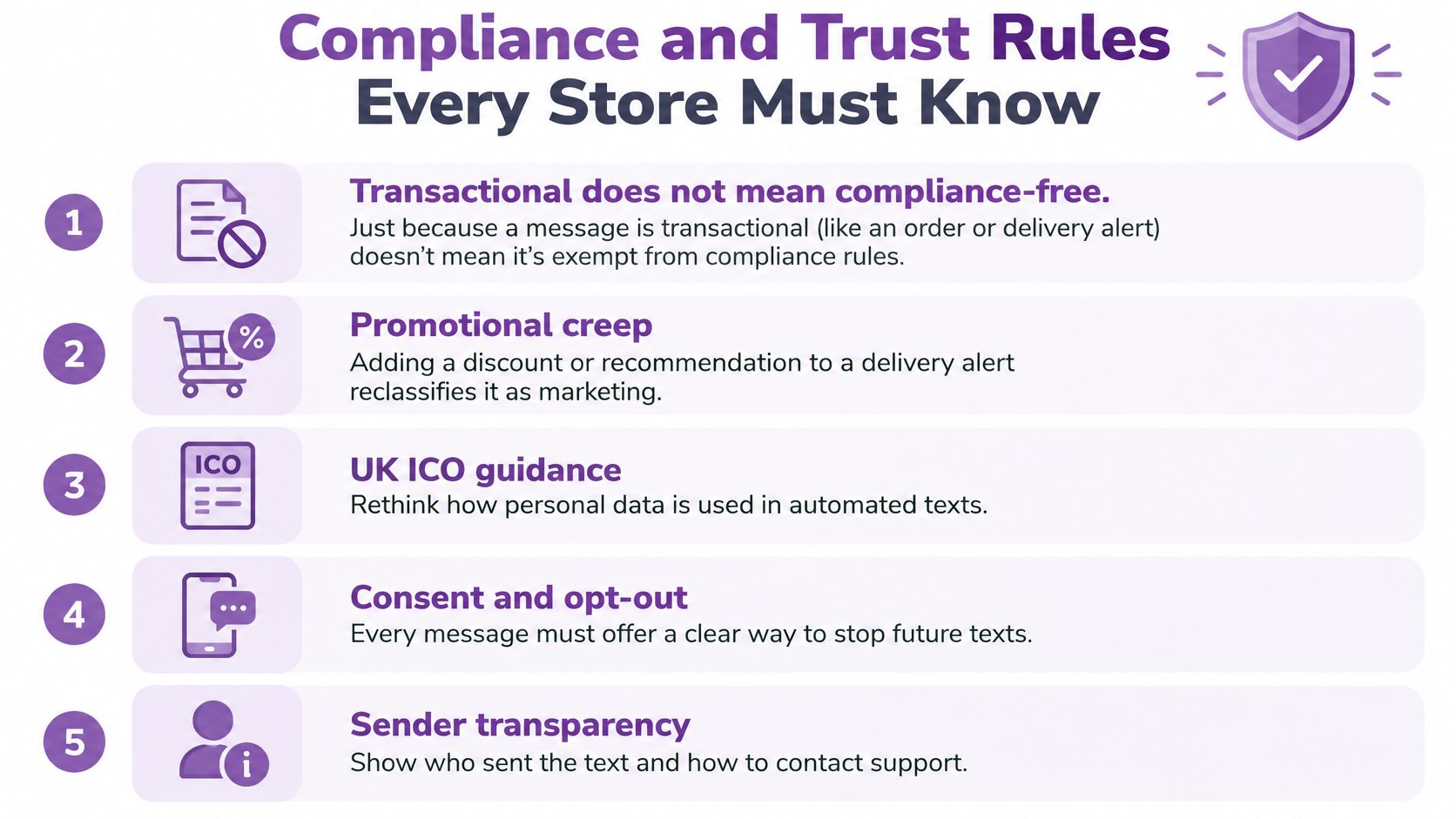
The assumption that costs stores money goes like this: "It's transactional, so compliance doesn't apply." Transactional describes a message's purpose. It grants no exemption from consent, sender-identity or opt-out rules, and it does nothing to stop your text from looking like fraud.
Promotional creep reclassifies the message
The UK's Information Commissioner's Office treats service messages as communications about a customer's current contract or past purchase, covering delivery arrangements, product safety, service interruptions and account issues. The ICO guidance on marketing and data protection is explicit that these messages must not contain promotional content.
The trap is how small the creep can be. "Your order has shipped" is service. "Your order has shipped, and here's 10% off your next one" is marketing, even though the first half is identical. Add a discount code, a product recommendation or an upsell line to a delivery alert and you have written a marketing message, with the consent requirements that carries and a much weaker position if a customer complains. The classification follows the purpose of the whole message, not the majority of its words.
Sender identity is now a registration problem
Identity rules are tightening outside the US as well. Ireland's communications regulator scheduled blocking of application-to-person SMS sent from unregistered sender IDs from October 3, 2025, requiring organizations to register their IDs, as ComReg's SMS sender ID registry sets out. Registration regimes are spreading in the same direction elsewhere, so the practical move is to register early rather than discover the block in the middle of a launch or a peak season.
Meanwhile the bar for looking legitimate keeps rising, because your shipping update lands in the same inbox as the fraud. The Anti-Phishing Working Group's trends report records smishing, phishing through SMS, climbing sharply, with SMS remaining a leading mobile phishing vector. Customers have been trained by those scam texts to distrust exactly the shape a delivery notification takes: a short message, an unknown number, a link. Your templates have to overcome that suspicion on every send.
A trust check to run on every template
- Recognizable sender. The business name appears in the first few words and in the sender field.
- Canonical links only. Every URL points at your own domain, not a generic shortener that hides the destination.
- No credential requests. No password, no card number, no "confirm your details" inside a text.
- Context in the body. The order number or account event is stated, so the message makes sense without a click.
- A non-link fallback. Point them to their normal account page if the link feels wrong.
Run the check against the rendered message, not the draft. A template passes only when the version that reaches the phone, with tokens populated and the link in place, still clears all five lines.
Consent hygiene finishes the job. Keep SMS permission separate from email permission in the customer profile, don't pre-tick the box, and don't treat a phone number collected for checkout, delivery or account support as permission for promotions. ICO guidance on electronic marketing notes that consent should be specific to the method, so agreeing to marketing by email isn't agreement to marketing by text. A clearly labeled SMS checkbox or keyword opt-in, with the consent record kept, is the version that holds up under scrutiny. Before you scale volume past a trickle of order updates, work through a TCPA compliance checklist so the consent records, quiet hours and sender registration are documented rather than assumed.
How to Set Up and Measure Your First Flows
Five steps, in this order, take a Shopify store from nothing to three live post-purchase flows without a compliance mess. The reasoning attached to each one matters as much as the step itself.
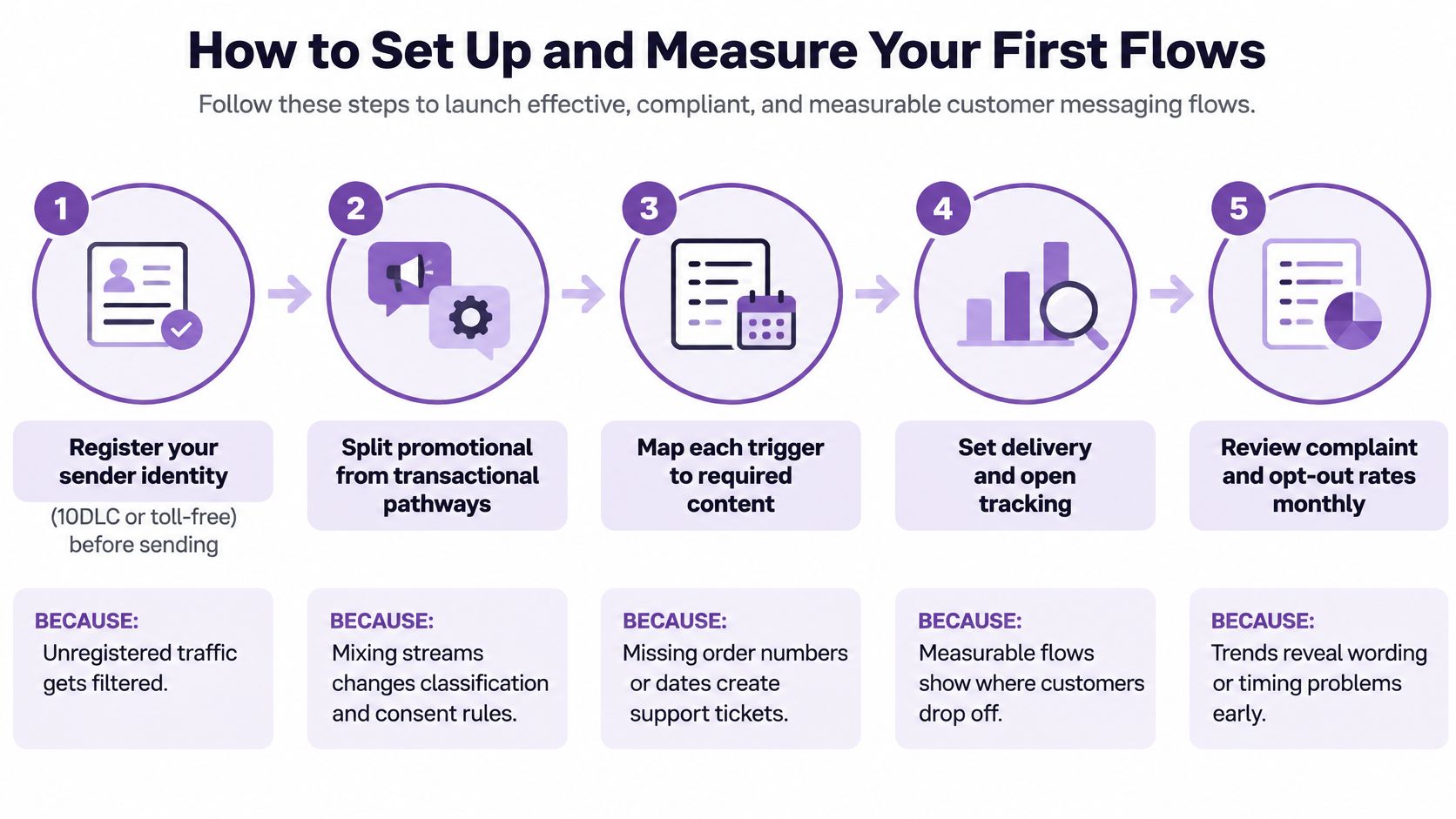
- Register your sender identity first. 10DLC or toll-free, before the first send, because unregistered traffic gets filtered and higher volume makes the filtering worse.
- Split consent capture into two fields. Service consent and explicit SMS marketing consent, each recorded against the customer profile with a timestamp.
- Turn on the three core automations. Order confirmation, shipped and delivered, each fired by its own order event rather than a manual campaign.
- Audit the templates. Run each one through the classification questions and the trust check, then rewrite anything that fails.
- Add abandoned-cart recovery last. Trigger the first reminder after the shopper leaves checkout, send them back to the saved cart, and hold any incentive for a later step so you aren't discounting orders that would have closed anyway.
Here's the walkthrough for the setup steps if you prefer watching them run in a store.
Abandoned-cart texts are worth building as a sequence rather than an occasional blast. Klaviyo's abandoned-cart benchmark analysis, drawn from more than 110,000 Klaviyo customers, reported an average click rate of 10.3% for abandoned-cart text flows and average revenue of $4.48 per text-message recipient. Treat those figures as a direction, not a guarantee, since performance moves with list quality, offer, product category, timing and how clean your consent is.
What to measure and what to watch
Four numbers per message and per segment: revenue per recipient, click rate, conversion rate and unsubscribes. Break them out by message type, because a shipped text and a win-back offer with identical click rates are telling you different stories.
Instrumentation is what makes those numbers trustworthy. Keep event-level logs, persist suppression records across campaigns, exclude completed orders from recovery flows, and exclude opted-out numbers from every send. Review undelivered messages as a leading indicator rather than an afterthought: in 2025, 60% of surveyed businesses identified deliverability as the most important factor when choosing a business-messaging provider, according to Bandwidth's state of messaging report, and a delivery rate that dips on one template usually points to a wording or filtering problem you can fix in an hour.
If your catalogue is handmade or listed across several marketplaces, segment by product line before comparing results, and artisan marketplace selling help is a useful read when your products live on more than one storefront. The Shopify SMS app setup guide covers installation, 10DLC registration and the first campaign if you'd rather follow a checklist than assemble the pieces yourself.
Your Next Step Is to Turn On Order Notifications
The decision in front of you is small: pick order confirmation, shipped and delivered, and have all three live this week before you add a campaign or a fourth flow. Those three answer the questions customers ask, and they cut tickets instead of creating them.
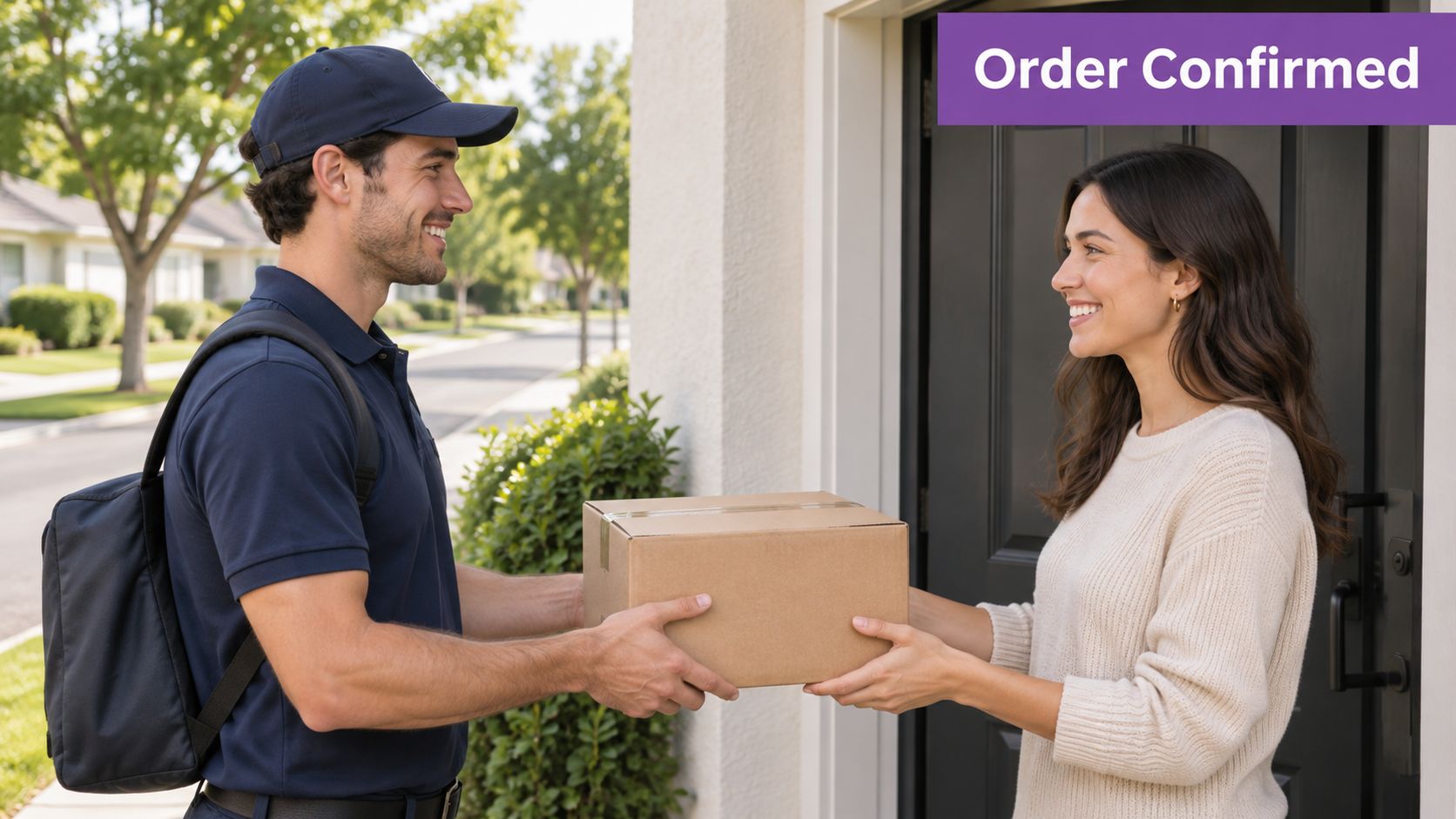
Two rules keep everything else safe. Never put promotional copy inside a service template, not a discount, not a recommendation, not a "you might also like". And keep service consent separate from marketing consent in your records, so a phone number collected at checkout never turns into a marketing list.
Then demand the boring capabilities from whatever you use. Prebuilt shipping and delivery automations, sender registration handled for you, personalization tokens, trackable short links, automatic STOP and HELP handling, and per-message pricing without a monthly platform fee. YipSMS Inc. covers those for Shopify stores with prebuilt Shipped Notification, Delivered Notification and Keyword Opt-in Reply automations, 10DLC and toll-free registration, and pay-as-you-go billing with no monthly app fee. The 14-day free trial is the low-risk way to test the three flows against your own order data.
Start with the order confirmation. It's the message every customer expects and the one most stores still don't send.
YipSMS Inc. gives Shopify stores the post-purchase texts this guide keeps returning to, with prebuilt shipping and delivery automations, 10DLC and toll-free registration handled for you, and pay-as-you-go pricing instead of a monthly app fee. Start the 14-day free trial, send the first text from a real order, and see how many "where is my order" emails disappear from your inbox. Visit YipSMS Inc. to get set up.
Links referenced in this article
- SMS reference entry on Wikipedia
- Text Request's 2025 state of business texting report
- analysis of US SMS messaging regulations
- Infobip's A2P messaging overview
- reduce checkout friction in WooCommerce
- CTIA's Messaging Principles and Best Practices
- ICO guidance on marketing and data protection
- ComReg's SMS sender ID registry
- Anti-Phishing Working Group's trends report
- ICO guidance on electronic marketing
- Klaviyo's abandoned-cart benchmark analysis
- Bandwidth's state of messaging report
- artisan marketplace selling help
YIPSMS publishes educational articles, including AI-assisted content supplied through Outrank. Our internal team reviews Outrank articles for accuracy before publication. Pricing and requirements can change; check current YIPSMS pricing and official guidance before acting. Compliance content is general information, not legal advice. Spotted something wrong? Tell us through your YIPSMS account.